Service Page Blueprint: What Goes On It, in Order | Hawk Academy

Free Resource

The Service Page Blueprint

What a service page needs so ChatGPT recommends you. If your service page says quality, trusted, reliable, then contact us for a quote, an AI answer has nothing in it to quote. Here's what to put on it instead: eleven sections, in order, with what goes in each and why.
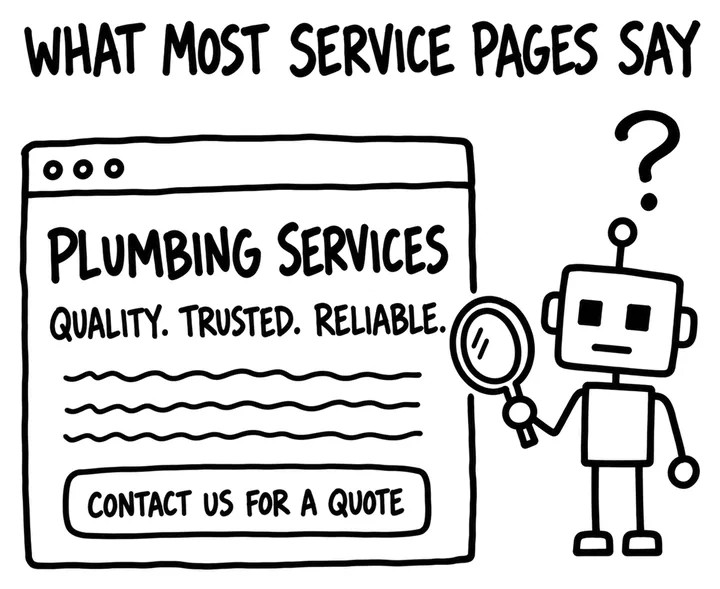
Sketch of a typical service page: Plumbing Services, quality, trusted, reliable, and a Contact us for a quote button, with a puzzled robot beside it.
What most service pages say. Nothing here tells a buyer, or an AI answering for one, the job, the place or the price.

Some AI answers name a few businesses before anyone visits a website. A service page has the best chance of being named when it answers what buyers actually ask: what you do, where, for how much, and whether you can be trusted with it.

The five from the video

The reel covered five of the eleven sections. Here they are with the drawings, in the order they sit on the page.
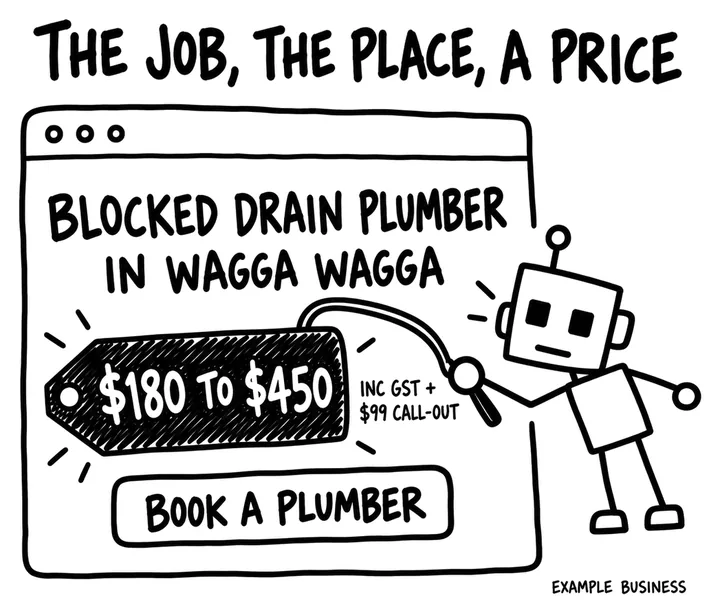
  1. Sketch of a page top reading Blocked drain plumber in Wagga Wagga, with a $180 to $450 price tag including GST and a $99 call-out, and a Book a plumber button.

    The job, the place and a price

    The top of the page names the service and the place in plain words, then gives a starting price, a range, or a plain line on how pricing works. Not contact us for a quote. Budget questions are among the most common questions buyers ask, and a page with a real range can answer them.
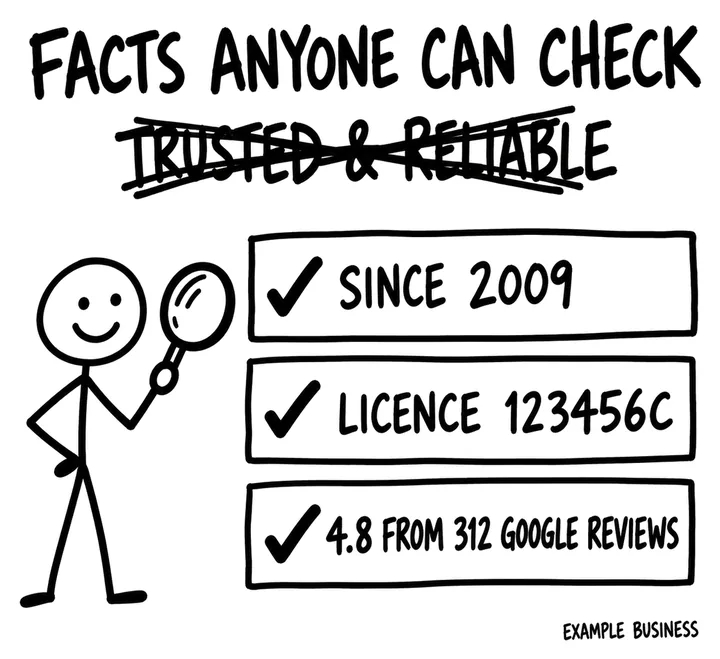
  2. Sketch headed Facts anyone can check, with trusted and reliable crossed out and three ticked facts: since 2009, licence 123456C, 4.8 from 312 Google reviews.

    Three facts anyone can check

    Years in business, your licence or accreditation number, and your review rating with the count and where it comes from. Checkable facts carry more weight than trusted and reliable, which every competitor says too.
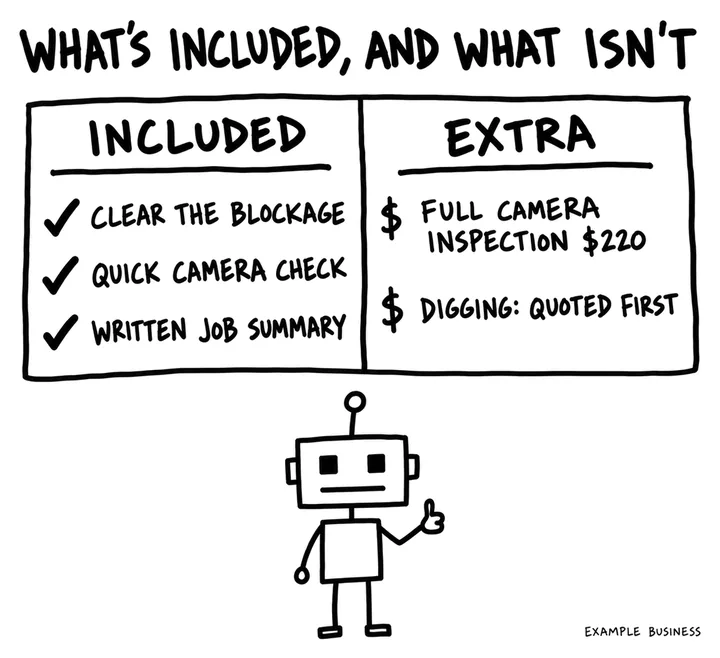
  3. Sketch of a two-column table: included is clearing the blockage, a quick camera check and a written job summary; extra is a full camera inspection for $220 and digging, quoted first.

    What's included, and what isn't

    One plain list of what the job covers and a second list of what costs extra. Scope is how AI matches you to the exact question someone asked, and the exclusions stop wrong-fit enquiries before they reach your phone.
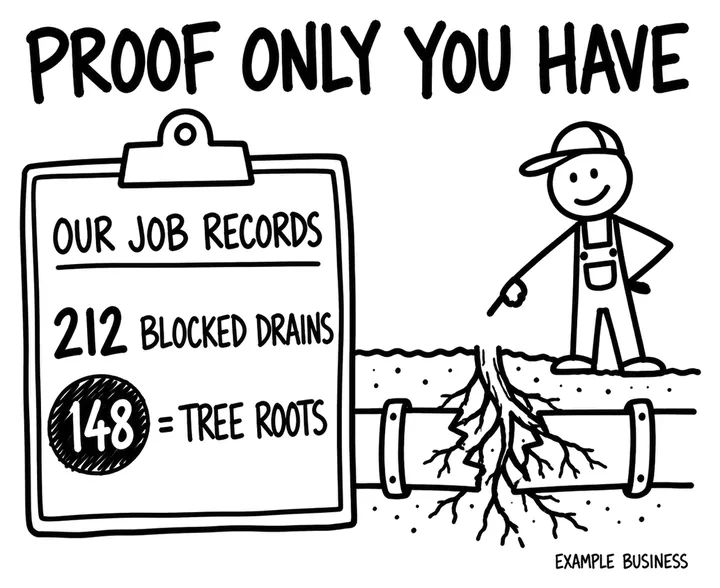
  4. Sketch headed Proof only you have: a clipboard of job records showing 212 blocked drains, 148 caused by tree roots, beside a plumber pointing at roots inside a pipe.

    Proof only you have

    One real job story only you could tell: what you found, how long it took, before and after, and a number from your own records. Evidence nobody else has is what makes your page worth quoting over ten others saying the same thing.
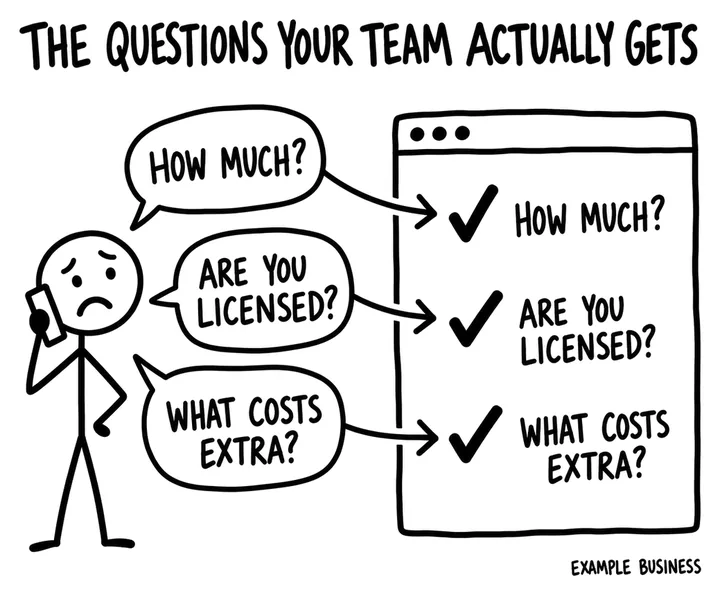
  5. Sketch of a worried caller asking how much, are you licensed and what costs extra, with each question ticked off and answered on a web page.

    The questions your team actually gets

    The questions people ask on the phone, answered right there on the page in two to four sentences each. Real questions in real words match how people ask AI. Invented keyword questions don't.

The full blueprint, top to bottom

Eleven sections, in the order they sit on the page. The page below is a finished example for an invented plumber, numbered to match the list.
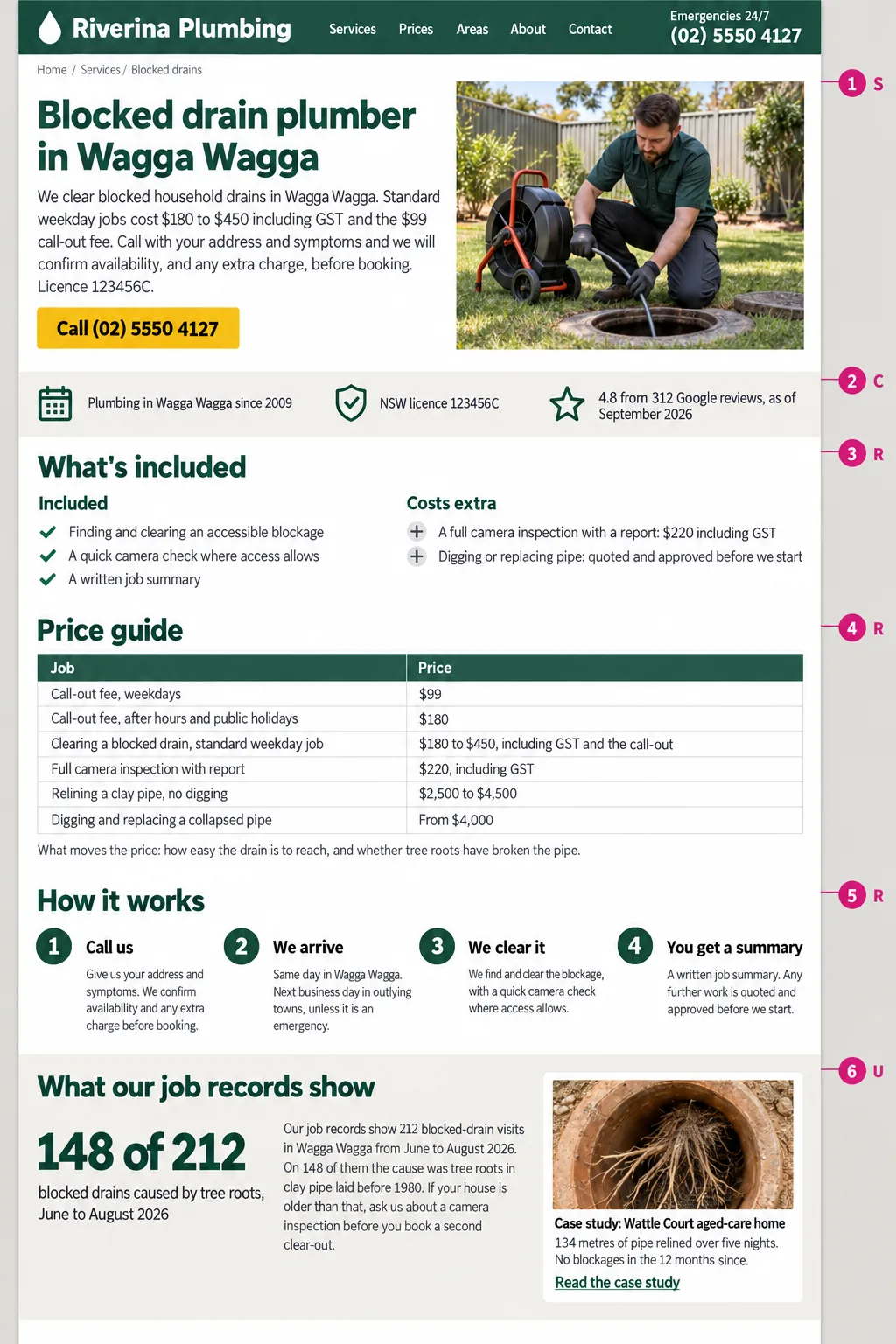
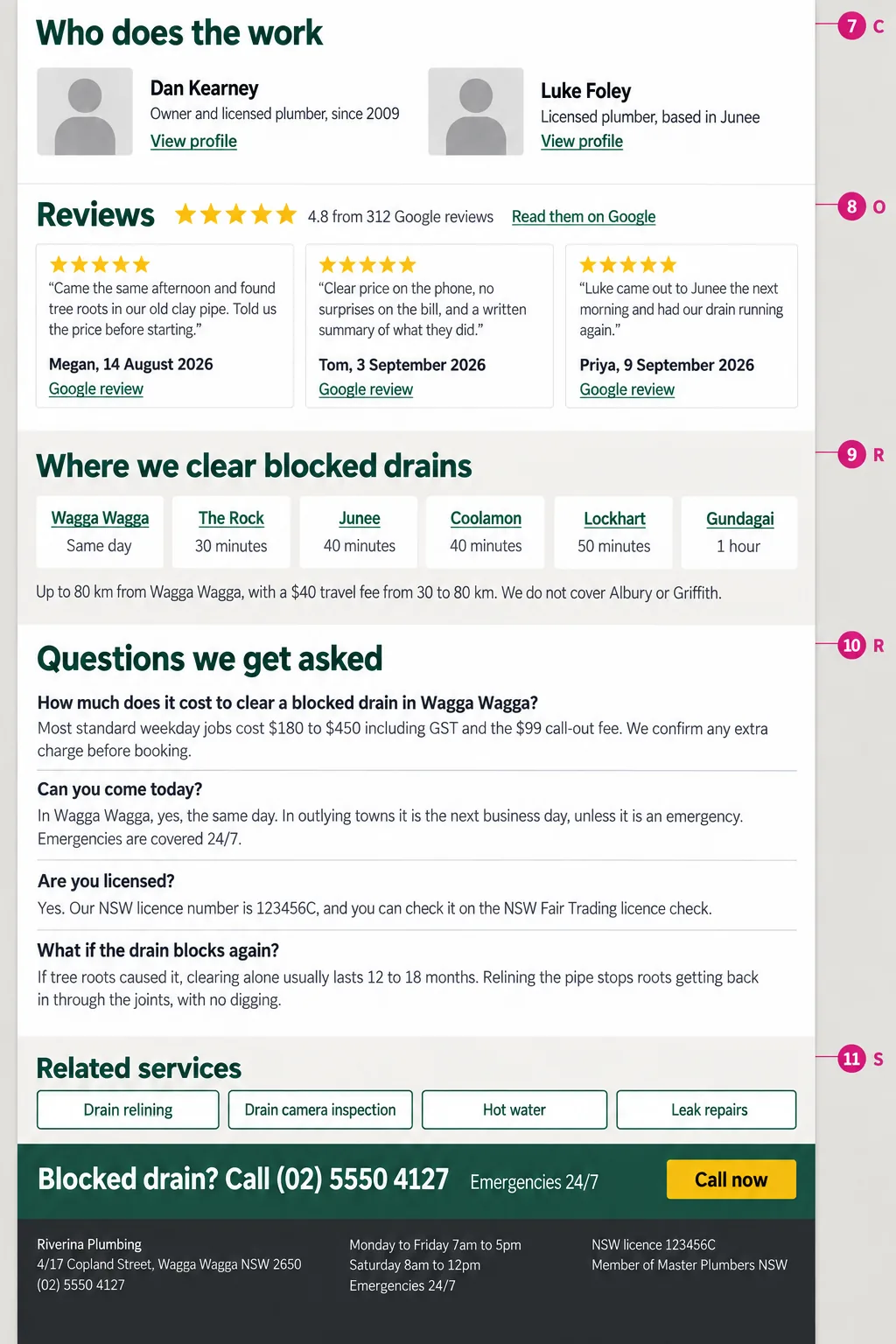
Top half of an example service page for Riverina Plumbing, sections 1 to 6: answer block with price and licence, trust strip, what's included, price guide table, how it works in four steps, and job records showing 148 of 212 blocked drains were tree roots. Bottom half of the same page, sections 7 to 11: who does the work, dated reviews linked to Google, towns covered with travel times, questions customers ask, and related services with the phone number.
Riverina Plumbing is an invented business, drawn to show the level of detail. Tap either half to see it full size. The letter beside each number is the part of SOURC-E that section serves: Structure, Offsite, Uniqueness, Relevance, Credibility or Evaluation.
  1. 1

    Answer block

    An H1 that names the service and the place. Under it, two or three sentences a buyer could quote: what you do, for whom, where, the starting price or how pricing works, and how fast you respond. One main button.

    The opening lines are what a skimming buyer judges you on, and a likely passage for an AI to quote.

  2. 2

    Trust strip

    Three facts anyone can check: years operating, licence or accreditation number, and your review rating with the count and where it comes from.

    Specific, checkable facts carry more weight than adjectives like trusted or leading.

  3. 3

    What's included

    A plain list of what the service covers, and a second list of what it doesn't.

    Scope is how a model matches your offer to a specific question. Exclusions stop the wrong-fit enquiries.

  4. 4

    Price guide

    Starting prices or ranges by job type, the things that move the price, and any call-out or minimum fee.

    A page that gives a real range answers the budget question. One that only says contact us for a quote leaves it unanswered.

  5. 5

    How it works

    The steps from first contact to finished job, with typical timing for each.

    It answers the what happens next question that can stop people booking.

  6. 6

    Proof only you have

    One or two short job stories with details only you could publish: what you found, how long it took, before and after, a number from your own records. Link the full case study.

    Evidence nobody else has is what makes a page worth citing instead of one of the ten others saying the same thing.

  7. 7

    Who does the work

    The qualified people who do this work, each linked to their profile page.

    Named, credentialed people are a trust signal for buyers and for systems that weigh expertise.

  8. 8

    Reviews

    Recent reviews as plain text on the page, with the reviewer's first name, the date and a link to the source, such as your Google Business Profile.

    What other people say about you counts. Plain text can be read; a widget that loads later may not be.

  9. 9

    Where you do this

    The areas you cover for this service, each linked to its location page, and a plain line saying where you don't go.

    Where questions are a big part of local search. The links tie the service to the places it's genuinely available.

  10. 10

    Buyer questions

    The questions your sales and support team actually get about this service, each answered in two to four sentences, visible on the page.

    Real questions in real words match how people ask AI. Invented keyword questions don't.

  11. 11

    Related services and next step

    Links to closely related services, and one clear next step with the phone number written as text.

    It keeps buyers moving and shows crawlers how your services connect.

A filled-in example

Riverina Plumbing in Wagga Wagga is an invented business, written to show the level of detail each section needs. Copy the specificity, not the words.

H1
Blocked drain plumber in Wagga Wagga
Answer block
We clear blocked household drains in Wagga Wagga. Standard weekday jobs cost $180 to $450 including GST and the $99 call-out fee. Call with your address and symptoms and we will confirm availability, and any extra charge, before booking. Licence 123456C.
What's included
Included: finding and clearing an accessible blockage, a quick camera check where access allows, and a written job summary. Extra: a full camera inspection with a report is $220 including GST, and digging or replacing pipe is quoted and approved before we start.
Proof only you have
Our job records show 212 blocked-drain visits in Wagga Wagga from June to August 2026. On 148 of them the cause was tree roots in clay pipe laid before 1980. If your house is older than that, ask us about a camera inspection before you book a second clear-out.

Before you publish

Must-haves

  • The service, the place and a starting price, a price range or a plain line on how pricing works are in the first screen, in the HTML your server sends.
  • One page per service. It links to its location pages, and they link back.
  • Scope and exclusions are written as lists, not buried in paragraphs.
  • At least one piece of evidence only you could publish.
  • The people who do the work are named and linked to their profiles.
  • Hours, phone, licence and prices match your Google Business Profile and directory listings exactly.
  • Someone owns the page and updates it when a price, an hour or the service changes.

Stop doing

  • Repeating the keyword a set number of times, and writing to a fixed word count.
  • FAQs written as keyword headings instead of real questions.
  • A packages grid with no prices and no scope.
  • FAQ markup, which Google no longer shows, and review markup on your own reviews, which isn't eligible for stars.

Four checks before it goes live

  • The headline, price guide and questions appear in the page source, not only after scripts run.
  • The page is indexable and its canonical points to itself.
  • Every fact matches your Google Business Profile and directory listings.
  • The phone test: on a phone, on mobile data, someone can tell what you do, where and roughly what it costs within 30 seconds.

Schema

LocalBusiness, or a more specific type such as Plumber, belongs on your location pages, with facts that match your Google Business Profile. On the service page itself, missing schema is a small gap. Schema that disagrees with the page is worse than none.

How to tell it's working

Once a month, ask these in ChatGPT, Perplexity and Google AI Mode with your service and place filled in, and note whether you're named and linked.

  • How much does [service] cost in [place]?
  • Can someone come today, and how fast?
  • Are you licensed or qualified to do this?
  • What exactly is included, and what costs extra?
  • Do you cover my suburb or city?
  • What happens if the problem comes back?

The free AI Visibility Check skill gives you real customer questions to run in ChatGPT and other AI tools, then scores the answers you paste back. In GA4, track sessions from AI assistants and the key events that land on this page. And count the enquiries it brings in, noting which question the buyer asked first.

Free tools for the job

  • AI Visibility Check SkillGives you 8 real customer questions to run in ChatGPT and other AI tools, then scores the answers you paste back and shows who gets recommended instead.
  • Is My Page Better?Grades any page's on-page SEO out of 100, then puts it head to head with a competitor's page so you can see exactly what to fix.
  • Local SEO Audit SkillPaste your URL into Claude and get an on-page audit for your local service business, with prioritised fixes, in about 60 seconds.
  • Review EngineTurns the reviews you already have into a search asset: works out who to ask, writes the outreach, and builds the page.
  • SOURC-E AuditorScores your site against the six SOURC-E pillars for AI search, finds the weakest link, and gives you a do-this-week fix list.

If you change one thing this week

Put the job, the place and a price in the first screen of your service page, as text rather than inside an image. It's one of the first things a buyer looks for, and a likely passage for an AI to quote.

See all six page blueprints